3D contribution graph
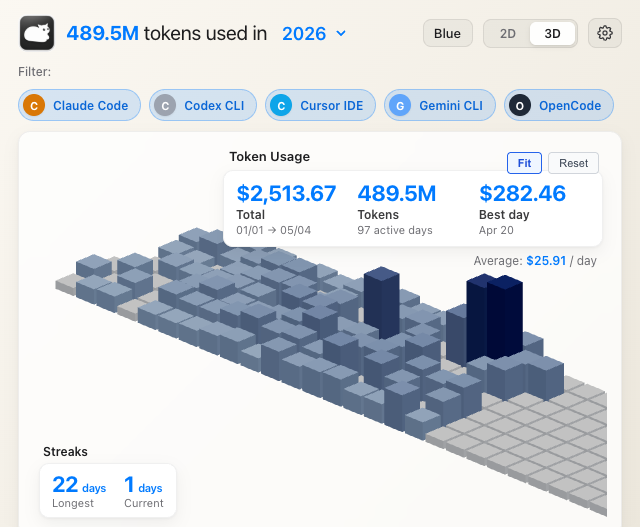
Interactive tile terrain with cost and token totals visible at a glance.
 Tokcat
Local command center for AI spend
AI token usage monitor and LLM cost tracker for Claude Code usage, Codex usage, Cursor usage, Copilot, Gemini, OpenCode, Amp, Droid, Hermes, Grok Build, Oh My Pi, and Aside. Local logs in, clear spend out.
Quick start
Tokcat reads supported AI coding session logs directly on your Mac. No separate token-usage CLI, cloud account, or telemetry pipeline is required.
brew install --cask handlecusion/tokcat/tokcatOperational surfaces
Real Tokcat screenshots show the daily cost view, the 2D stacked chart, 3D contribution graph, and the settings panel used to tune the menubar behavior.
Interactive tile terrain with cost and token totals visible at a glance.
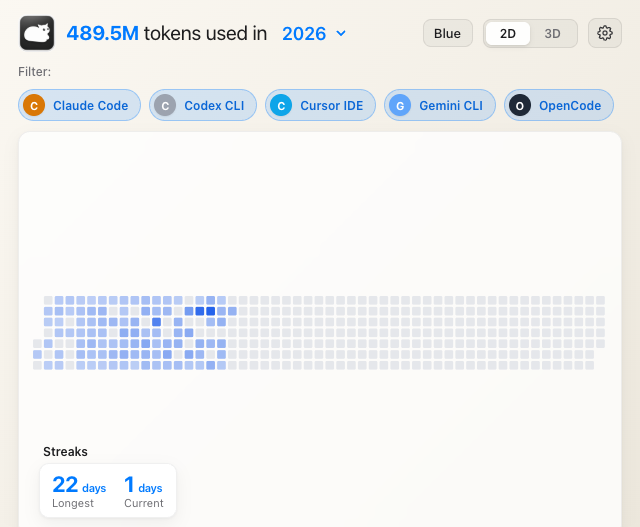
Recent token usage stacked by AI coding client.
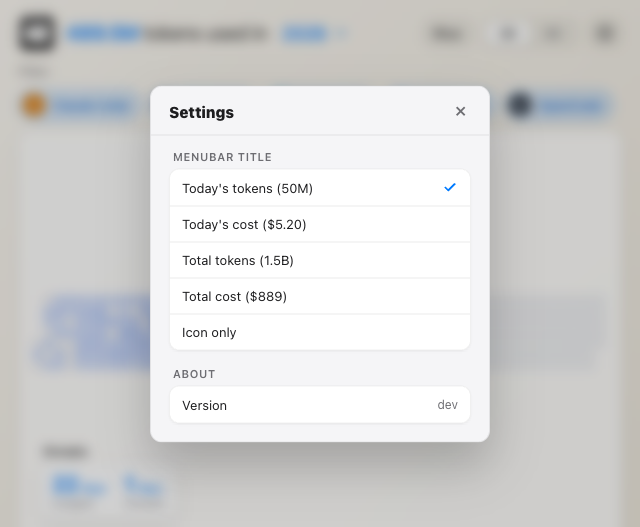
Menu-bar title, launch at login, animation style, and updater checks.
Supported sources
Each source is normalized into the same contribution timeline, so token-heavy days and high-cost clients stand out without leaving the menu bar.
Why it exists
The animated menu-bar title can show today's tokens, today's cost, total tokens, total cost, live tokens/min, plan usage percent, or icon-only mode.
Swift, SwiftUI, SceneKit, macOS vibrancy, light and dark adaptation, and a chromeless popover window. No web view.
Overview and client tabs for Claude Code, Codex CLI, Cursor IDE, Copilot CLI, Gemini CLI, OpenCode, Amp, Droid, Hermes, Grok Build, Oh My Pi, and Aside.
Streaks, daily average, best day, per-client totals, and model-aware cost estimates make usage patterns obvious.
Privacy model
Tokcat's only network traffic is the signed updater manifest from GitHub Releases. Usage data is read from local session logs and rendered in the menubar dashboard on-device.
FAQ
Tokcat is a free, open-source native macOS menu-bar app that visualizes AI coding token usage as 2D stacked token bars and a 3D contribution graph.
Tokcat is free and open-source under the MIT license. There is no subscription, paid tier, telemetry, or account.
Tokcat tracks Claude Code, OpenAI Codex CLI, Cursor IDE, OpenCode, Google Gemini CLI, GitHub Copilot CLI, Amp, Droid, Hermes, Grok Build, Oh My Pi, and Aside from local logs.
Token usage history stays local. The app checks GitHub Releases for updater metadata, can call direct Codex/Claude/Grok quota endpoints, and does not run analytics.
Tokcat ships one universal build for Apple Silicon and Intel Macs on macOS 13 or newer. Windows support lives in the separate handlecusion/tokcat-window port repo; Linux is not supported.